Help · from zero to an active contract
Getting started, step by step.
Seven steps from a fresh account to a signed contract whose splits push to distribution on their own. Screenshots are the real product.
Step 1
Create your account
Registration is open: name, email, password. No credit card, no sales call. A personal workspace is created for you automatically, and if a collaborator invited you, accepting their invitation places you in their organization instead.
Working with a team? Invite members from Settings and give each person a role (artist, manager, lawyer, producer, publisher, label, or admin) with permissions to match.
Step 2
Follow the guided setup
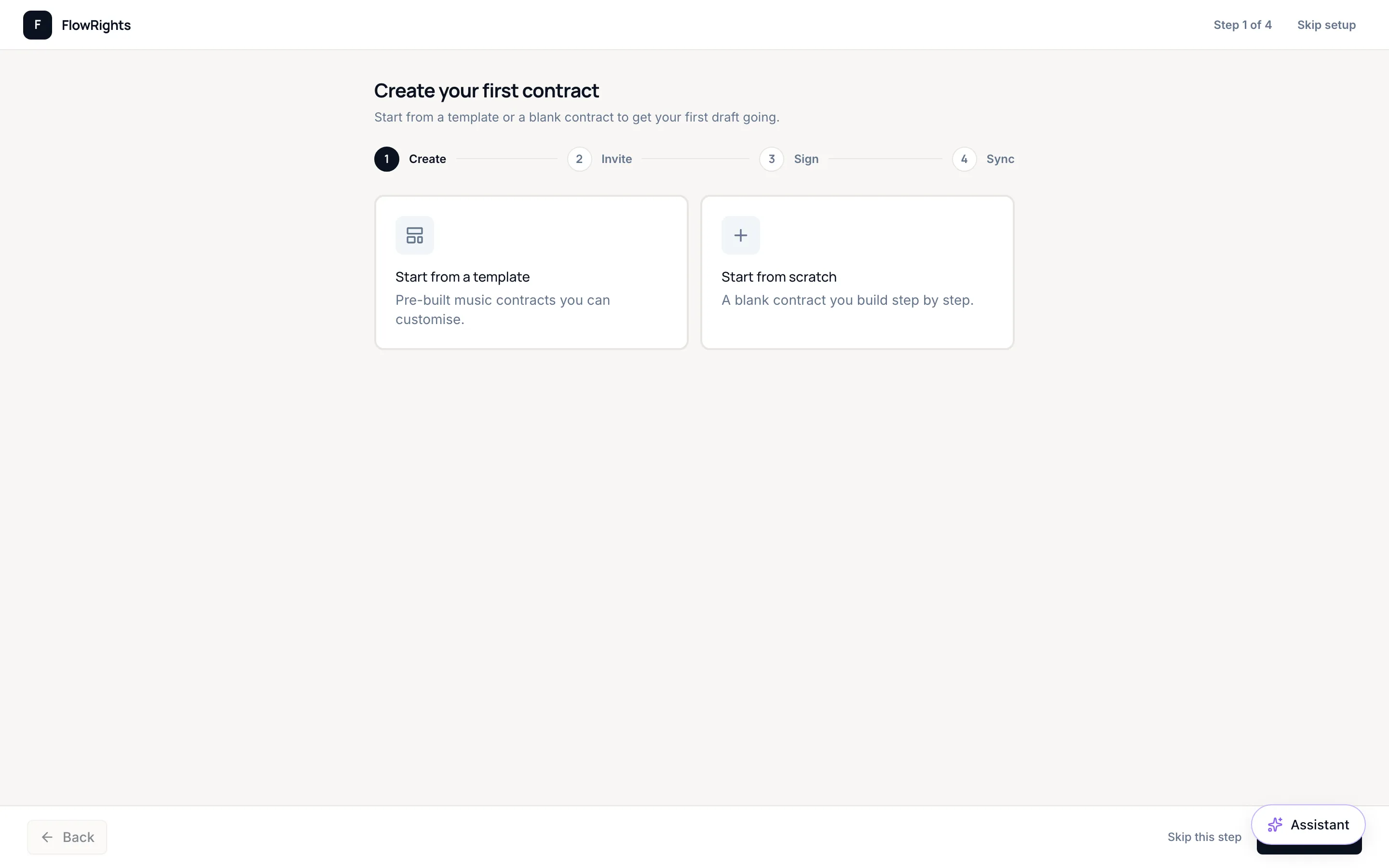
Your first contract walks the same four beats the platform is built around: create, invite, sign, sync. Start from a pre-built music template or a blank contract. The setup can be skipped at any point and every step is available later from the app.
Step 3
Draft from a template, or import the document you already have
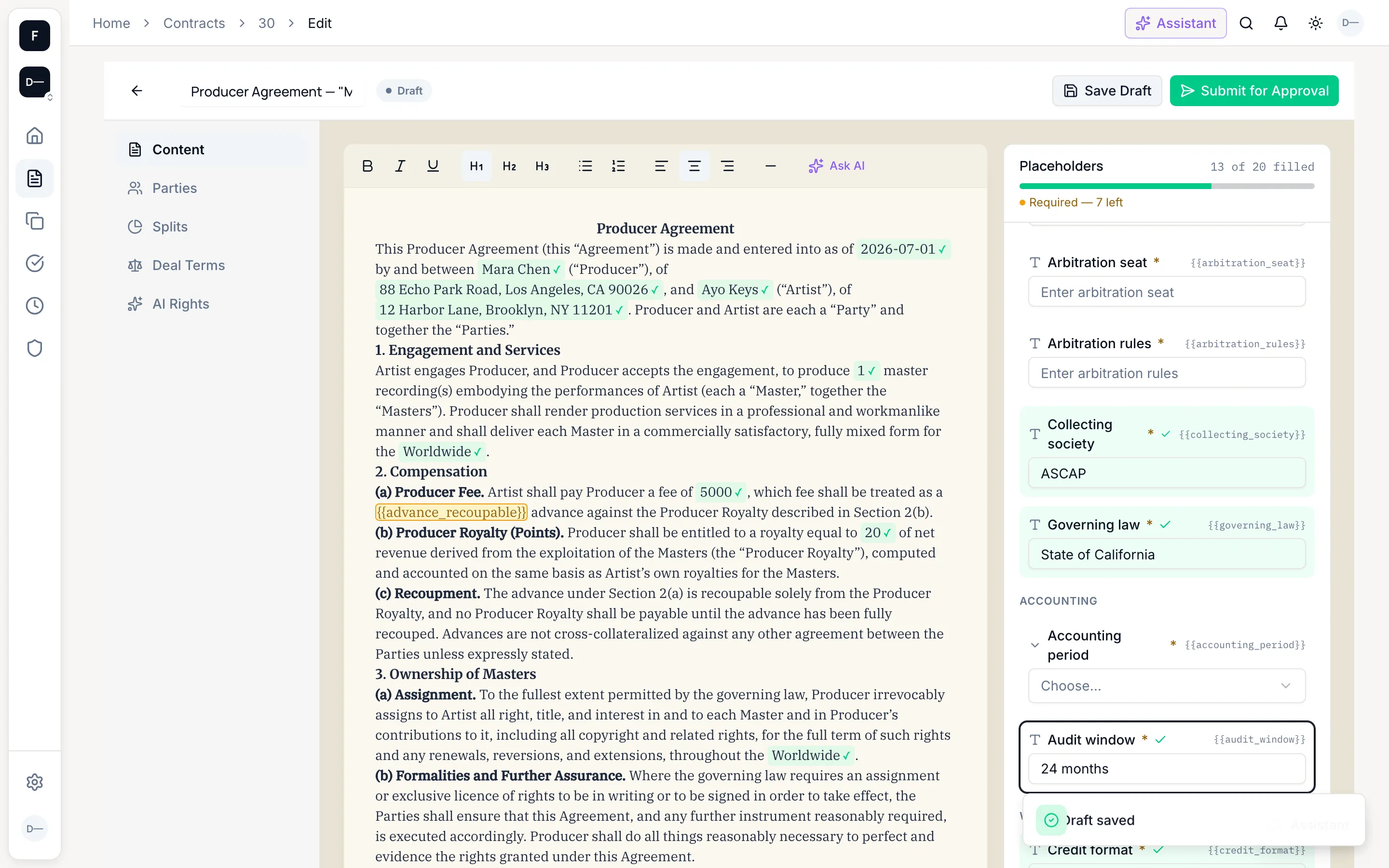
Eleven contract types ship out of the box (producer, publishing, master recording, sync license, distribution, work-for-hire, co-writing, 360, management, licensing, and other) with jurisdiction-scoped template content (Nigeria, US, UK, or generic) and a counsel review trail on every template.
Placeholders know what they are. Fill a name, a percentage, or a territory once in the fill panel and it lands everywhere it belongs: the clause text, the schedule, the split table.
Already have the deal on paper? Take the upload path instead. Bring a DOCX or a text-layer PDF and AI detects the parties, splits, deal terms, contract type, and jurisdiction, each with a confidence score. You confirm every detection on a review screen before any draft is created: detected people are matched to your workspace members or invited by email, and the contract wording is kept exactly as written, with the original file stored alongside version 1. Scanned or image-only PDFs are not supported yet.
Step 4
Negotiate in the document, not an inbox
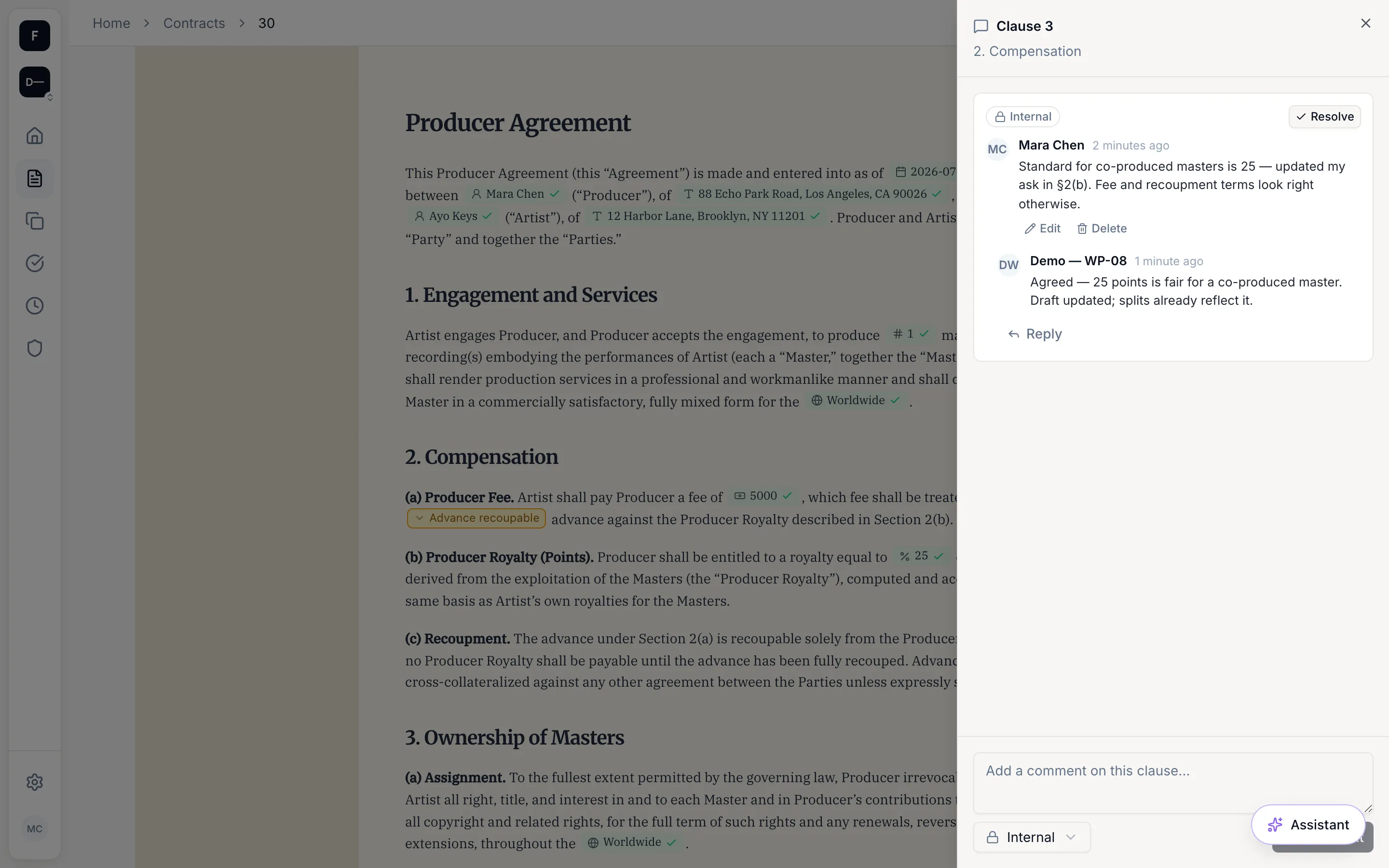
Every clause carries its own comment thread, every edit lands in a tracked version, and every party sees the same document. When terms change, the redline is in the contract, not scattered across attachments.
Step 5
Route approvals and collect signatures
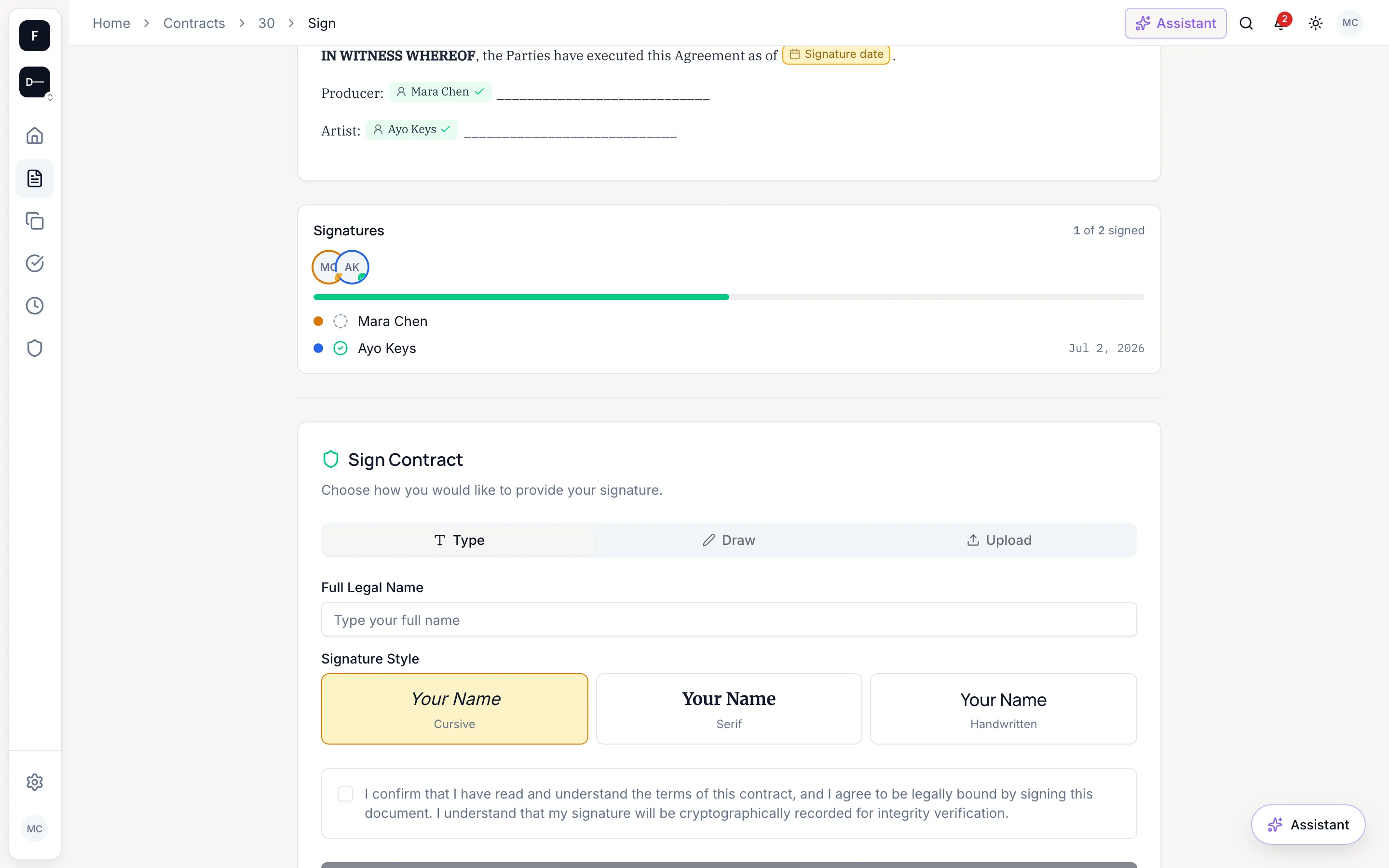
Approval workflows route the contract before it goes out. Signers can type, draw, or upload a signature, and counterparties sign from a secure link without creating an account. Every signature is sealed with a tamper-evident SHA-256 fingerprint of the exact terms signed, so any later change to the document is detectable.
Step 6
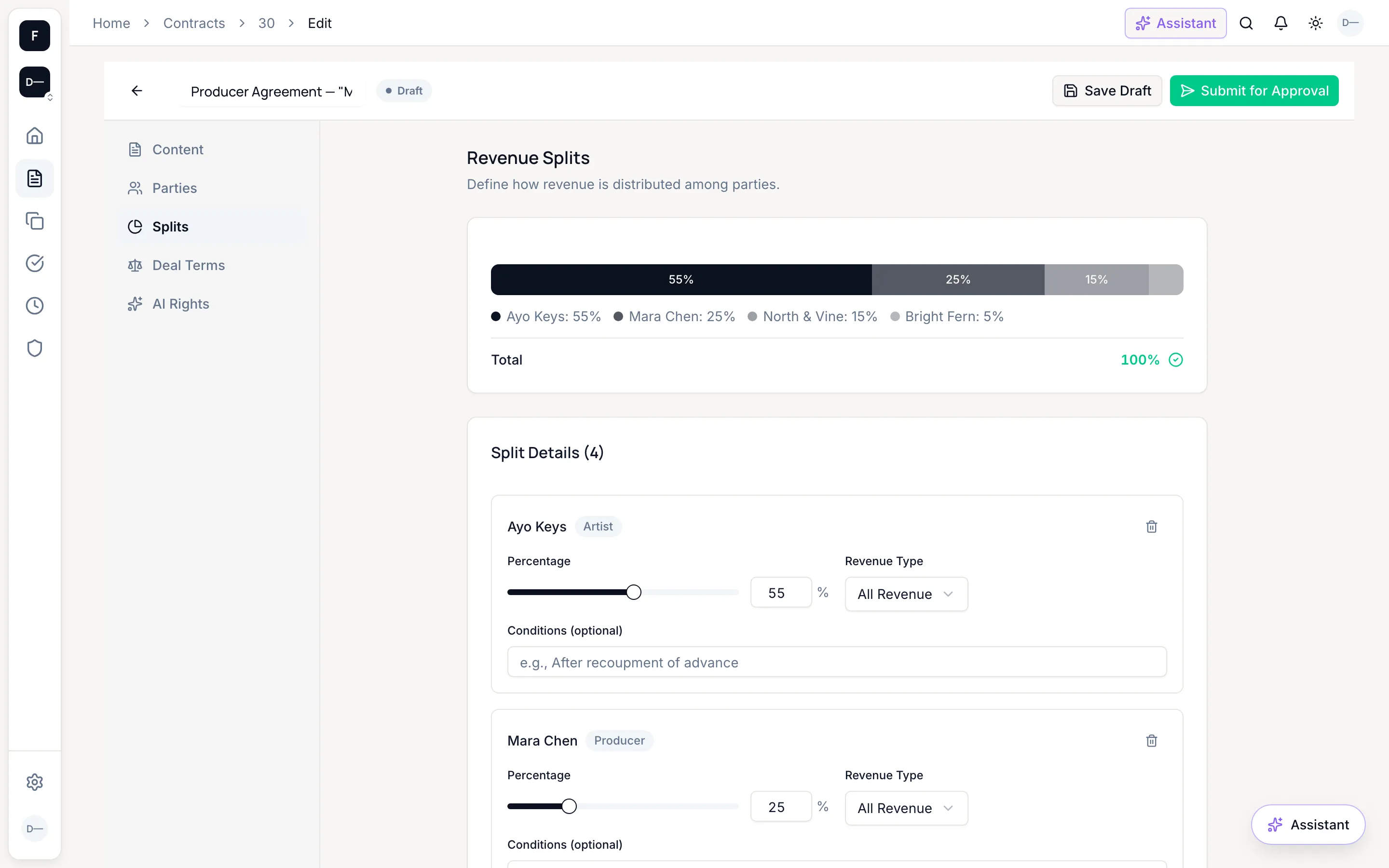
Treat splits as live data
The split schedule is not an appendix. It is structured data with a percentage and revenue type per party, validated to total 100% before the contract can go active.
Step 7
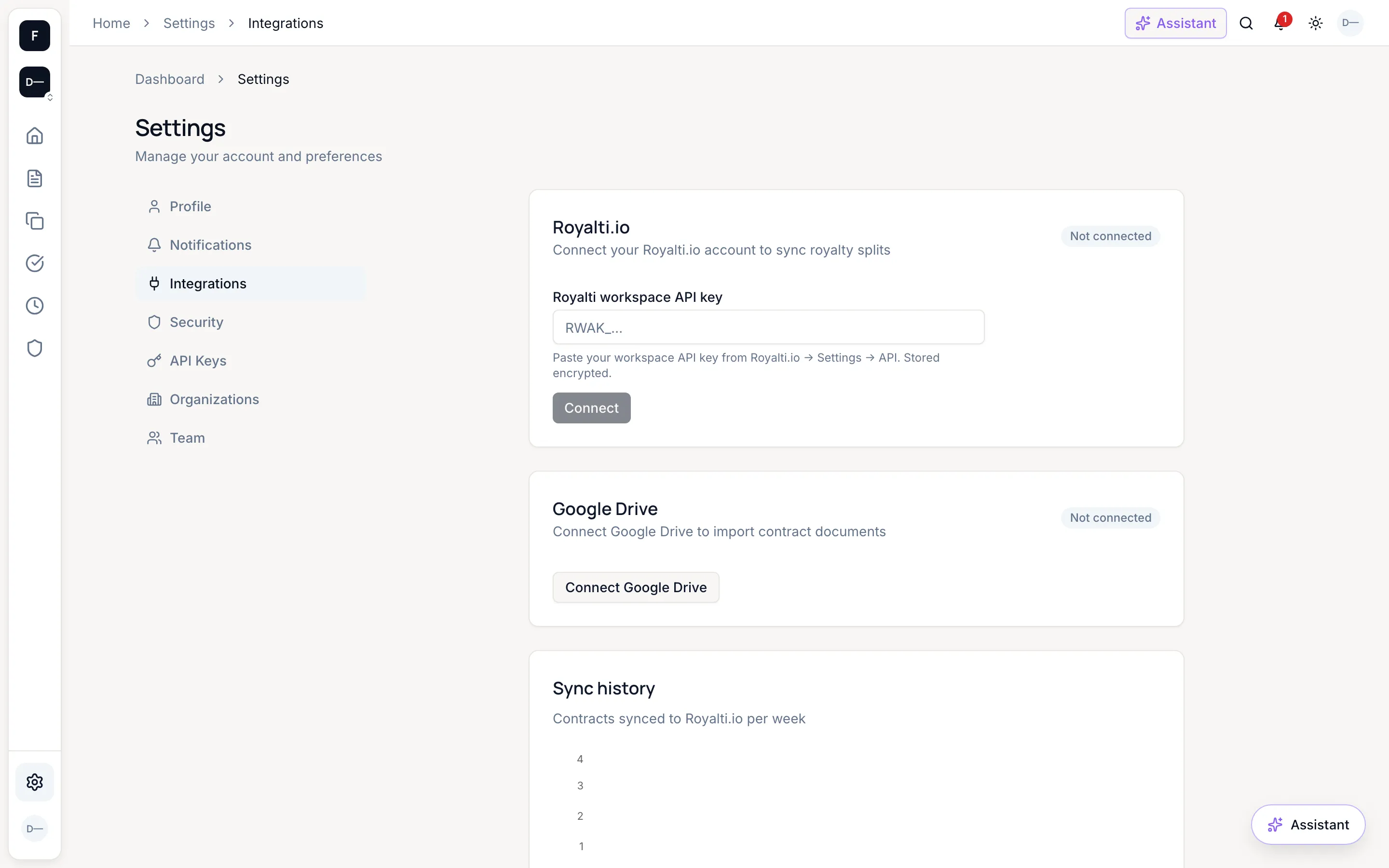
Connect Royalti.io once
A workspace admin pastes a Royalti.io workspace API key (RWAK_…) in Settings → Integrations, and it is stored encrypted at rest. From then on, when a contract goes active its split terms push to Royalti.io automatically. The sync is best-effort by design: failures are recorded and retryable, and the contract itself is never blocked.
Good to know
AI analysis (optional)
Claude-powered summaries in plain language (what the deal is, the money terms, what you give up, key dates, watch-outs) plus risk scoring, anomaly flags, and split-fairness checks. Analysis sits alongside the document, never instead of it, and it is not legal advice.
Obligations & reminders
Deliverables and deadlines are tracked per contract, with due and overdue notifications so nothing slips after signing.
Security posture
TOTP two-factor authentication, role-based access with seven roles, audit logs, encrypted integration keys at rest, and rate-limited public endpoints.
Your catalog in the AI era
The AI Rights Registry records per-work AI-training consent (opted in, opted out, or conditional) with ISRC/ISWC codes attached.
Everyday tools
Global search, dashboard analytics, PDF export, Google Drive import, and API keys for programmatic access.
Still stuck?
The FAQ answers the common questions in plain language. For anything else, support contact details land here at launch:[support email: confirm before launch].
Or just start, it's freeStart your first contract.
Open sign-up: no invite, no waitlist, no credit card required.
Start your first contract